

Installing the H2S solution for Logger WD-68
Download as PDFThe Consibio H2S solution consists of all the equipment and accessories needed to install a H2S monitoring system:
- Logger WD-68 battery-driven cellular datalogger
- Consibio H2S sensor v3
- Eyebolt for mounting
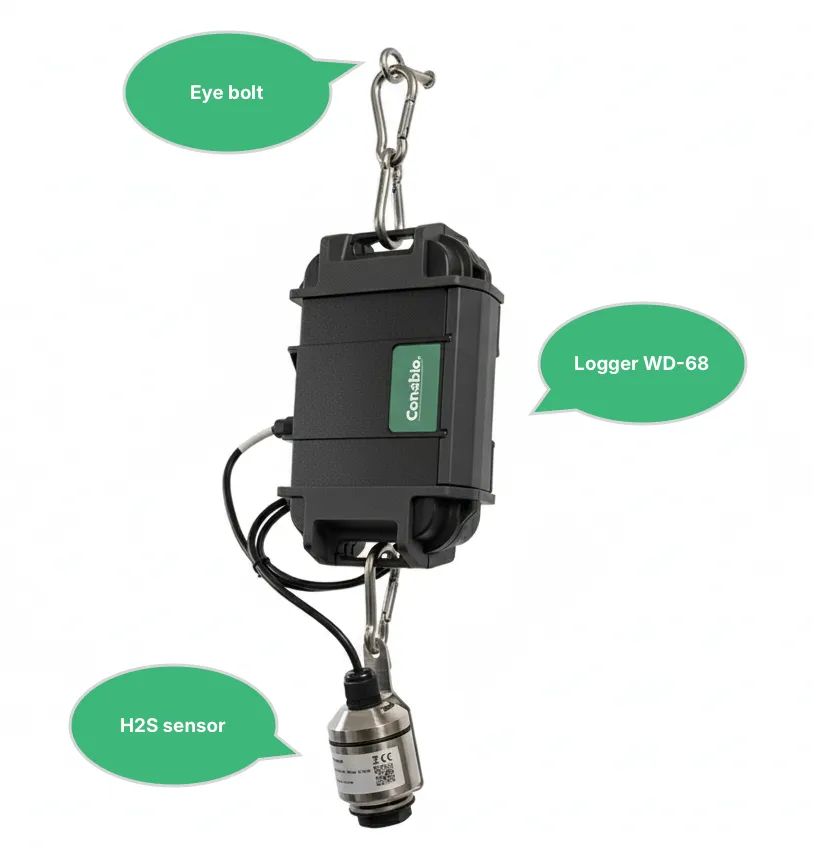
1. Activate Deploy Mode
Section titled “1. Activate Deploy Mode”The first thing to do when arriving on the site of installation is to activate Deploy Mode on the Logger:
- Press Restart shortly.
- Hold Deploy Mode for approximately 5s. When the LEDs flash quickly one at a time in a repeating pattern, Deploy Mode is activated.
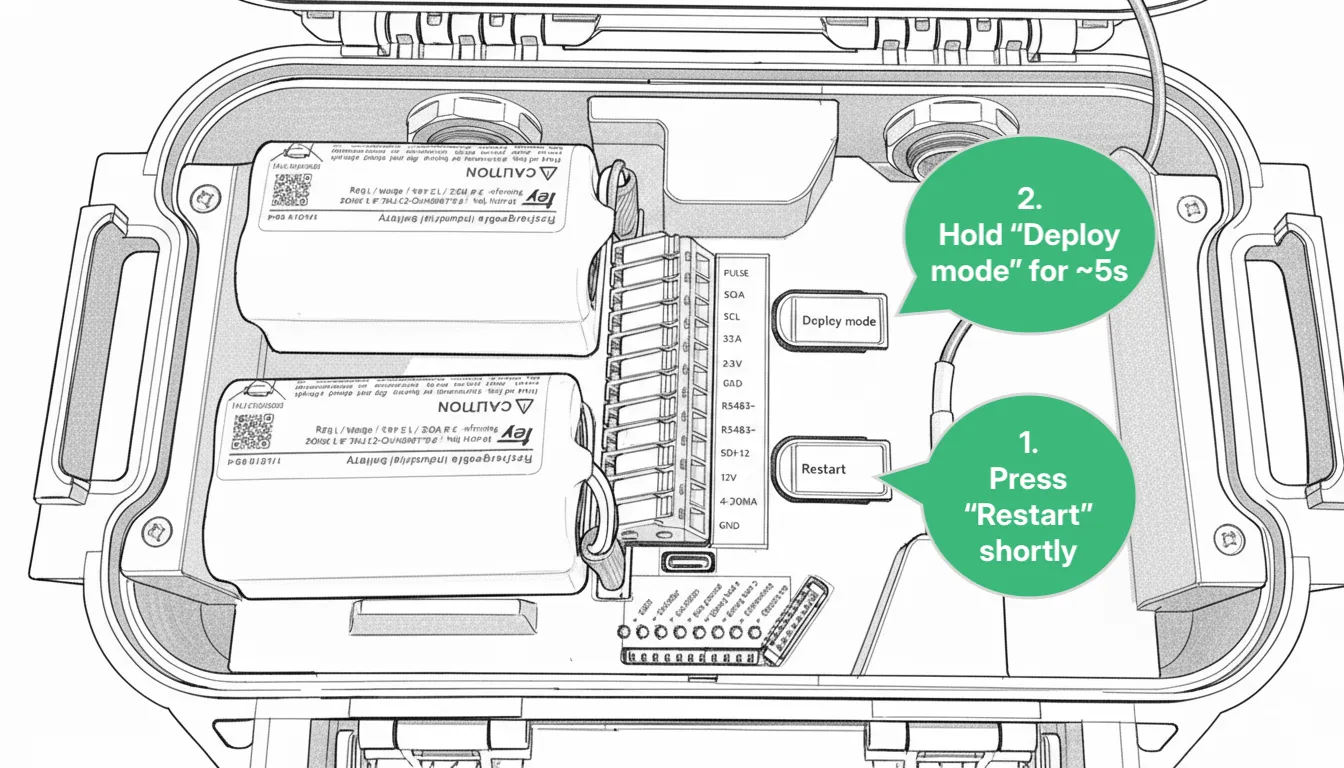
For the next 1 hour, the device will make a measurement every 30s and transmit every 5 mins. After 1 hour, it reverts to the transmission and measurement interval configured in Consibio Cloud.
Activate Deploy Mode as the first step so the Logger starts connecting immediately — it will scan the local network operators and select the most optimal one. On the first attempt, this can take some minutes.
2. Mounting instructions
Section titled “2. Mounting instructions”2.1 Mount the Logger
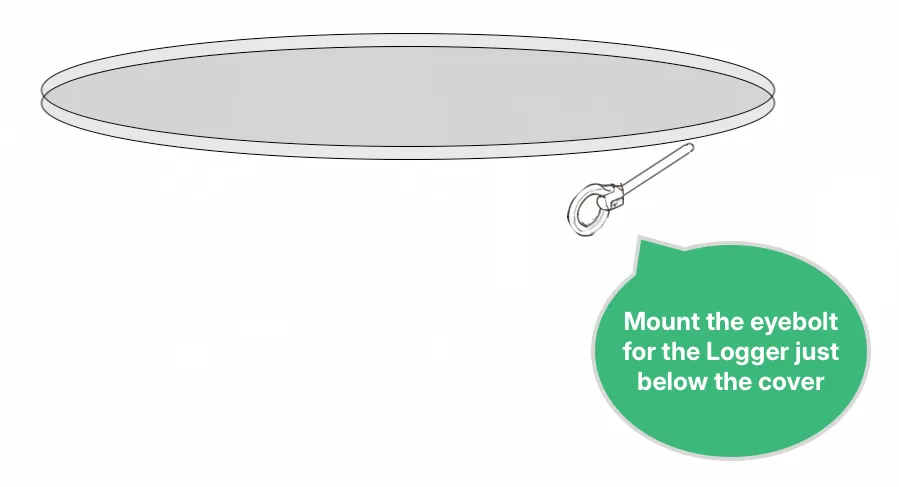
Section titled “2.1 Mount the Logger”Mount the Logger just below the manhole cover using the eyebolt and carabiners. This ensures optimal cellular reception and easy access for battery swaps.
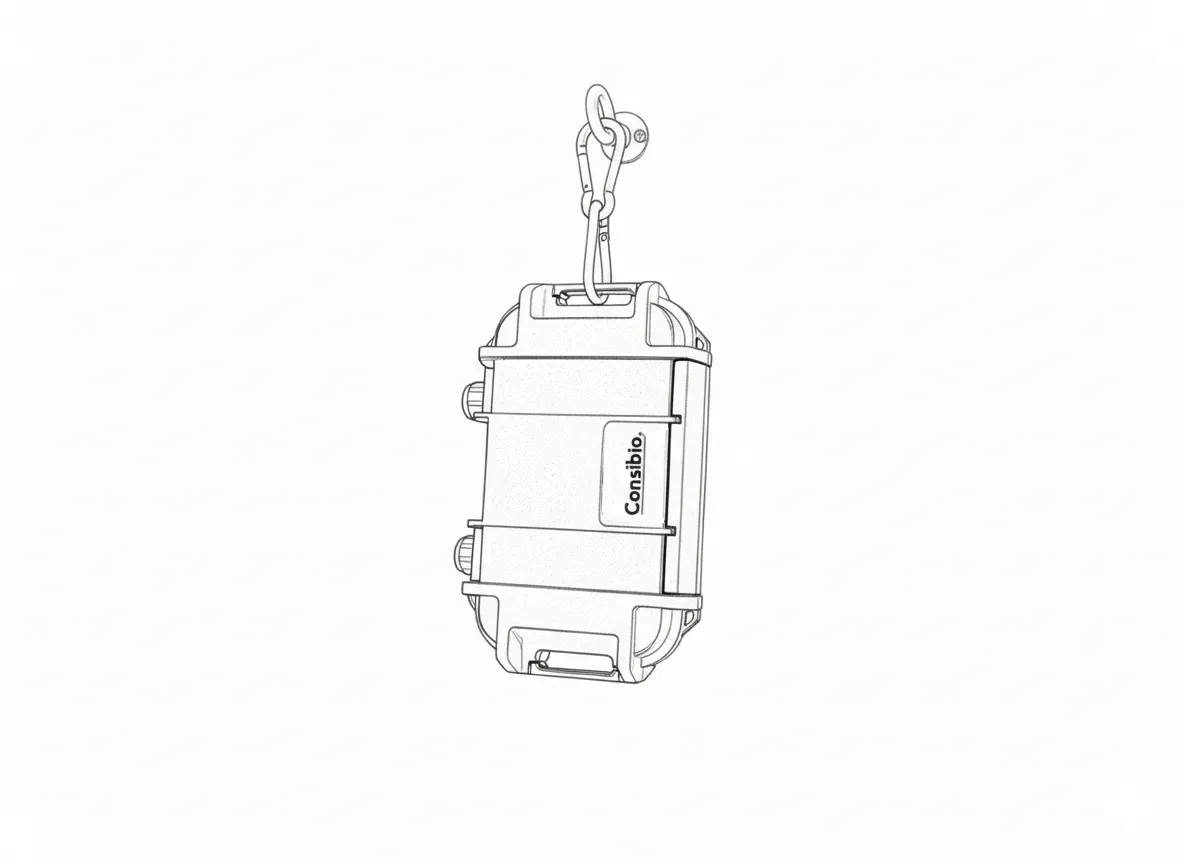
Fasten the Logger to the eyebolt using the carabiners included with the Logger:
2.2 Mount and connect the H2S sensor
Section titled “2.2 Mount and connect the H2S sensor”Mount the sensor with the pre-mounted cable hanger with carabiner on the bottom bar of the Logger WD-68:
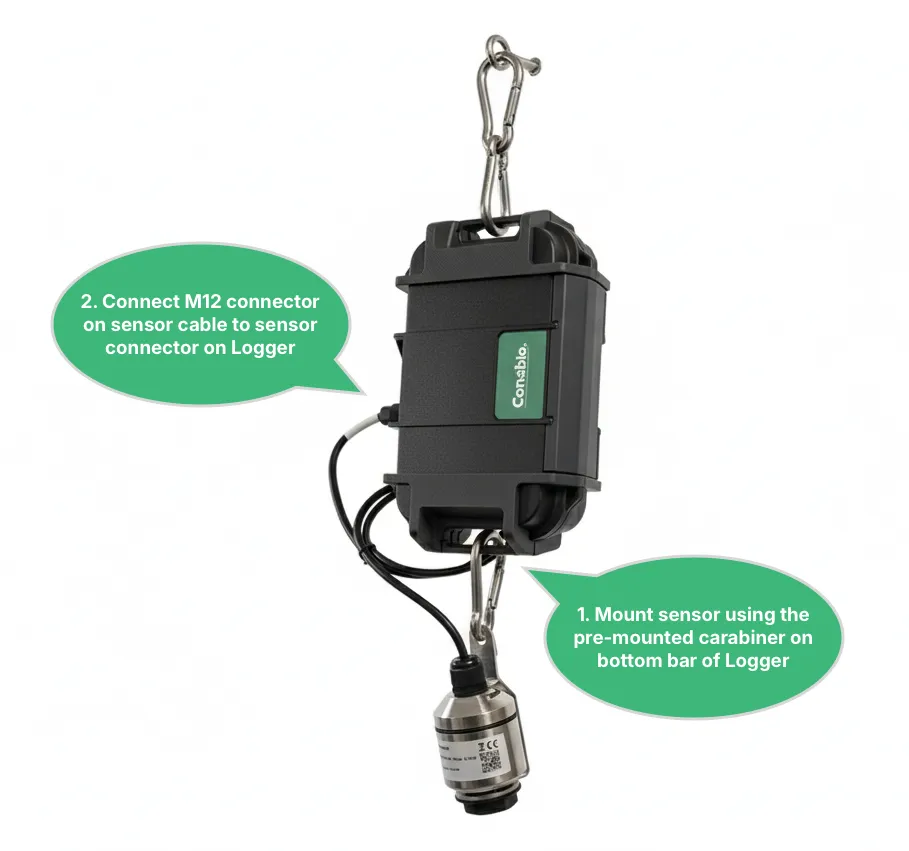
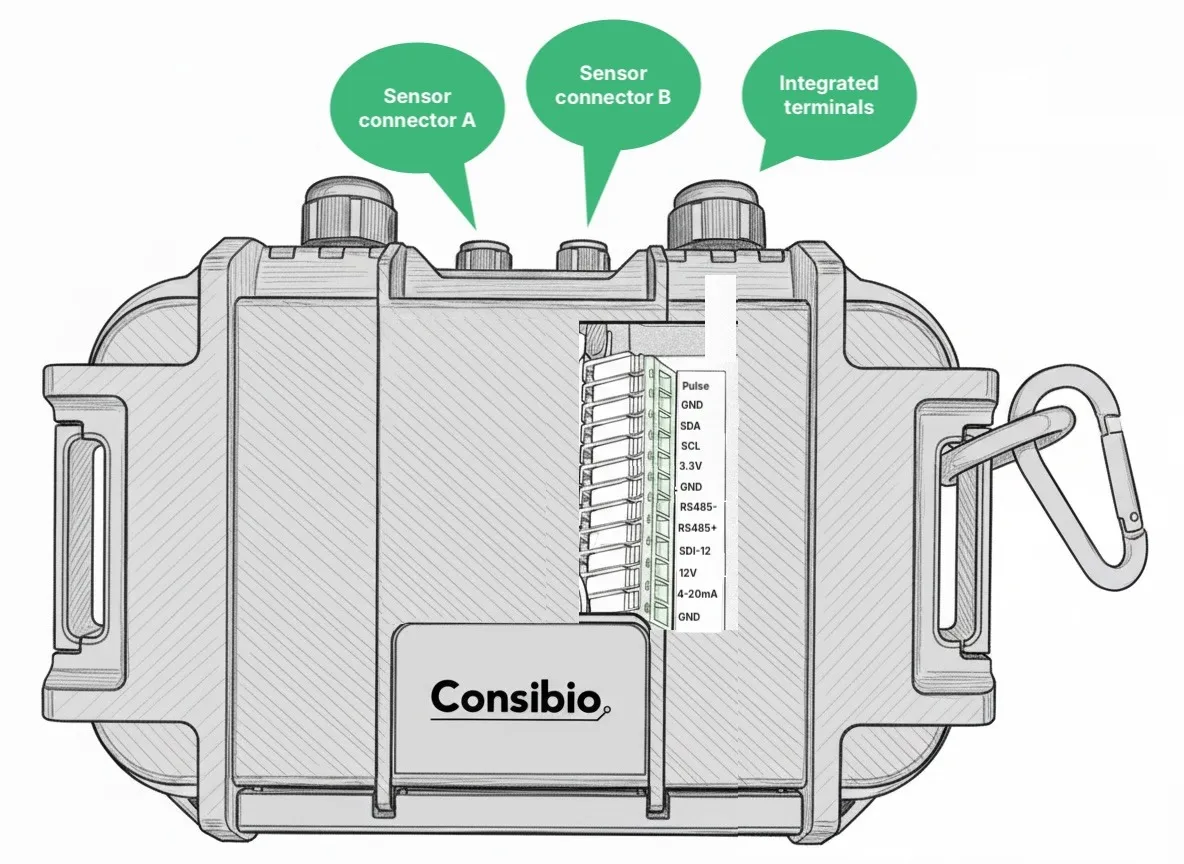
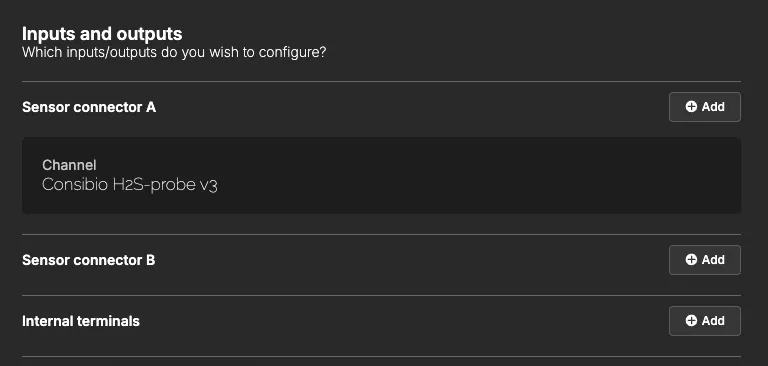
Connect the sensor to one of the Logger’s sensor connectors. You can see in Consibio Cloud, under the given device, which port the sensor is configured to. The standard is port A.
3. Verify installation and data quality
Section titled “3. Verify installation and data quality”After installation is done, put the manhole cover back on and wait 5 minutes.
Deploy Mode was activated in step 1, so the Logger will attempt to connect every 5 minutes. Before leaving the site, verify that the Logger transmits correctly through the manhole cover — it’s important to wait long enough to confirm this.
Go to https://v3.consibio.cloud on a smartphone or laptop, log in to your project, and check that data is coming in from the device.
If you don’t get a signal after closing the manhole cover, you can install an external antenna.
Troubleshooting
Section titled “Troubleshooting”- No signal after closing the manhole cover — install an external antenna to improve cellular reception.
- No data appears in the project after 5 minutes — confirm Deploy Mode was activated correctly (LEDs flashing in the repeating pattern) and that the device has been claimed to the project.
Reach out to support@consibio.com if you need assistance.